


Mint Mobile
4.617.19K Reviews
App Specs
- Version
- 2.3.37
- Updated On
- License
- Free
- Downloads
- 1,000,000+
- Developer
- UVNV, Inc.
- Categories
- Tools
- Platform
- Android
Screenshots
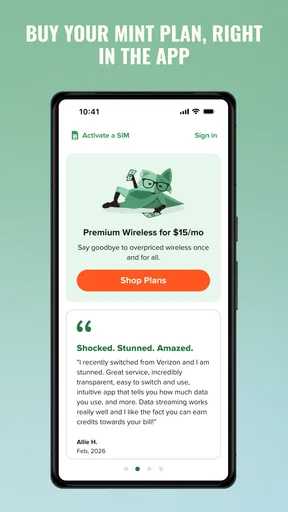
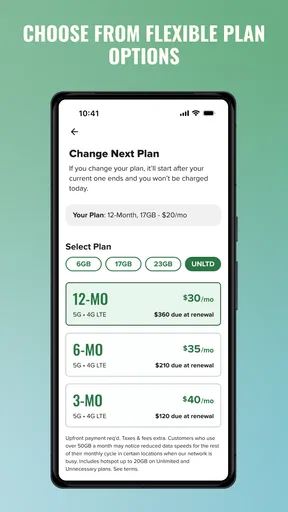
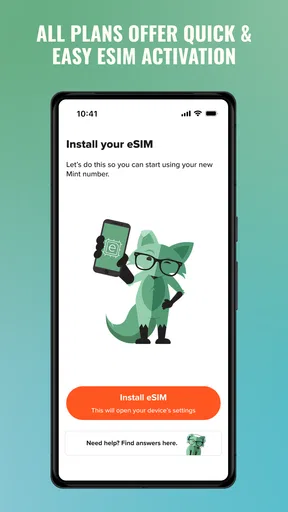
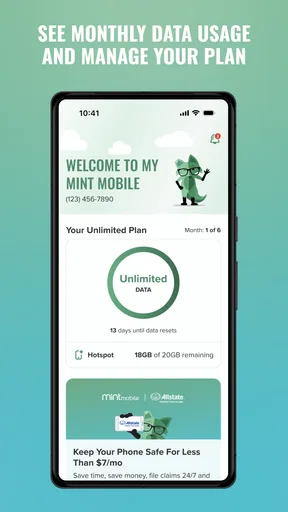
 Analysis by AppCompare
Mint Mobile is the kind of tools app I would keep installed when I want a simpler way to interact with my Mint Mobile service from a phone. It is free to download, aimed at everyone, and developed by UVNV, Inc. Rather than treating it like a general communications app, I see it as a companion for people already using Mint Mobile who want account-related tasks close at hand.
That distinction matters. The app is not something I would recommend simply because someone needs a new tool on Android. Its usefulness depends on whether Mint Mobile is already part of your wireless setup. If it is, the app can make routine account management feel more direct than relying on a browser. If it is not, there is little reason to install it just to explore.
How the app fits into everyday Mint Mobile use
In my experience, the strongest reason to use Mint Mobile is convenience rather than novelty. A carrier app earns its place by reducing small points of friction: checking an account when you are away from a computer, reviewing service information before making a change, or handling a quick task without searching through a mobile website.
The app belongs to the Tools category, which is a good description of its role. I would not open it for entertainment or social interaction. I would open it with a specific purpose, complete that task, and close it. That focused design expectation is useful because it keeps the decision practical: the question is not whether the app is exciting, but whether it saves enough time in your own wireless routine.
One realistic example is a travel day. Before leaving home, I might open the app to review my service details and make sure I understand what is available on my account. If I need to check something while waiting at an airport or sitting in a rideshare, having a dedicated app can be more comfortable than navigating a full browser page on a small screen. The benefit is modest, but repeated small conveniences are exactly where a carrier utility can prove its value.
The app has been available since November 13, 2017, and its current version is 2.3.37. It supports Android 6.0 and later, so the compatibility range is broad enough for many older Android phones. I would still check the version of Android on an aging device before planning around it, especially if that phone is kept as a backup and rarely updated.
What the free price really means
The clearest cost advantage is that the application itself is free. That makes trying it low-risk: you can install it, see whether it fits your account routine, and remove it if it does not. The free download should not be confused with free wireless service, though. The app is a management tool, not a substitute for whatever service plan or account arrangement you use with Mint Mobile.
Worth Reading Before You Choose

EA SPORTS FC Mobile 26 Is a Bigger Football Game, but It Takes Time

Flipboard Shows What News Apps Must Do Beyond the Feed

Switching to Android Auto Means Rethinking Your Driving Routine

Google Calendar Makes a Crowded Week Easier to Manage

Ludo King Makes the Most of the Minutes Between Plans

Baby Panda World Brings Quick Play to Modern Phones, but Its Game Library Feels Busy
That separation is important when judging value. I would not describe the app as making a Mint Mobile plan free, cheaper, or automatically better. What it gives you is free access to the mobile software layer around the service. The actual value comes from whether that access is more convenient than your usual alternative, such as a browser or contacting support through another channel.
Because the app costs nothing to install, there is no purchase decision in the usual sense. You are deciding whether the time saved and the convenience gained are worth keeping it on your phone. For an existing customer, that is an easy experiment. For someone comparing wireless providers, the app should play only a small supporting role; the service itself should be judged separately from the free utility.
I also like that the age rating is Everyone. That makes the app a straightforward option for a broad household audience, although an age rating does not tell me whether every account task will feel equally simple for every user. Someone who is uncomfortable with account settings may still prefer a larger browser screen or help from another person for more consequential changes.
Where the value appears in practice
The main value is having a dedicated place for Mint Mobile account interactions instead of treating the carrier as just another website bookmark. A dedicated app can feel more natural when the task is repeated, especially if you check your account from a phone more often than from a laptop. That matters for people who manage their wireless service almost entirely from mobile devices.
My practical advice is to use it as a quick-check tool rather than assuming it must replace every other support route. For routine matters, opening the app first is sensible. If a situation becomes complicated, involves an unexpected account problem, or requires careful comparison of information, I would be ready to switch to a browser or a more direct support option. A good companion app should shorten ordinary tasks, not trap you inside one method.
A less obvious benefit is consistency. When account information is accessed through a dedicated Mint Mobile environment, I do not have to remember which browser tab I used last time or whether a bookmark still points to the right place. That reduces the mental overhead of occasional tasks. It is a small advantage, but it becomes more noticeable for users who manage service for a family member or check more than one wireless-related detail during the month.
Another useful workflow is to open the app before contacting support. I would first review the account information available to me, note the exact issue, and then seek help if the problem remains. This can make the conversation more focused because I am not starting from a vague complaint. The app does not eliminate support needs, but it can help me arrive at them better prepared.
The public response is also encouraging without being a reason to ignore personal fit. Mint Mobile holds an average rating of 4.6 from around 70 thousand ratings, with roughly 17 thousand written reviews and over one million installs. Those figures suggest that many people find the app useful enough to keep around, but they do not guarantee that every account, phone, or task will feel equally smooth.
The tradeoffs I noticed before recommending it
The first tradeoff is dependence on the Mint Mobile ecosystem. If you do not use Mint Mobile, the app has no meaningful everyday role. Even if you are considering switching to the carrier, installing the app will not tell you everything you need to know about the service. It is better understood as a customer utility after the carrier decision, not as a replacement for researching that decision.
The second tradeoff is screen size. A phone is convenient, but account information and service choices can be easier to compare on a larger display. If I were reviewing several details side by side, reading lengthy explanations, or making a change that I wanted to double-check carefully, I would prefer a browser on a tablet or computer when available. The app wins for immediacy; a larger interface can win for inspection.
There is also a risk common to all account apps: convenience can encourage rushed actions. I would avoid tapping through important changes while distracted, commuting, or using an unreliable connection. The fact that an action is available from a phone does not mean it should be completed casually. My habit would be to pause, reread the relevant screen, and confirm that I am changing the intended account or service detail.
Older Android users should pay attention to compatibility. Android 6.0 is the minimum operating system listed for this version, which is helpful for people with older hardware, but an old phone can still create a less comfortable experience through slower performance, limited storage, or an outdated system environment. In that situation, the app may not be the only factor affecting how smoothly account management feels.
I would also avoid treating a high rating as proof that the app is perfect. Ratings often reflect a mixture of successful routine use, account-specific frustrations, device differences, and expectations about the carrier itself. My own standard is narrower: does it let me handle the tasks I actually need without making me hunt through menus or repeat information? That is the test that matters more than the headline number.
Where users can get stuck, and what to check first
When a carrier app feels unhelpful, I would first separate access trouble from a service problem. If a screen does not load or an account detail is not immediately clear, I would check that I am using the intended account and that the phone has a working connection, then try again without rushing through the same steps. Reopening the app or switching to a browser can help determine whether the obstacle is limited to the app experience.
For a first-time setup, I would keep the account details I normally use for Mint Mobile nearby and take care to enter them accurately. A small typo can look like a larger login issue. I would also make sure the app is current and that the device meets the Android 6.0 minimum before spending time troubleshooting. These checks are simple, but they prevent avoidable confusion, especially on an older phone that has not been used for account tasks recently.
If the app opens but I cannot find the answer I need, I would avoid repeatedly tapping through unrelated areas. Instead, I would note what I was trying to confirm, check the same account through a browser if appropriate, and then contact support with that specific question. This is a practical recovery path, not a guarantee that every issue can be resolved inside the app.
When another route is the better choice
For someone comparing carriers, a browser and independent plan research are more useful than this app. A carrier’s own utility is naturally centered on its existing customers, so I would not use it as a neutral comparison tool. Likewise, a person who prefers managing accounts on a desktop may be happier keeping a browser bookmark than adding another app to a phone.
A useful everyday workflow is to use the app for a quick account check while away from home, but save a more involved review for a quiet moment on a larger screen. That split gives the app a clear job without expecting it to be the best interface for every decision. If the phone is low on storage or the app is rarely needed, using the browser only when necessary is a reasonable alternative.
Who is most likely to get real value
This is a good fit for an existing Mint Mobile customer who manages service from Android and prefers a dedicated account tool. It is especially sensible for people who rarely use a desktop, check their wireless information while away from home, or want one recognizable place to begin when a service question comes up.
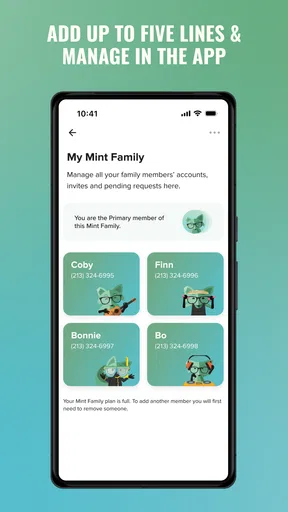
It can also help a person who assists a family member with phone service. In that case, the app may provide a more direct starting point than explaining a browser path each time. I would still make sure the account holder remains involved in any important decision, since convenience should not blur who is authorized to manage the service.
People who use Mint Mobile only occasionally may find less value. If you almost never review your account and are comfortable using a mobile browser when necessary, the dedicated installation may not change your routine enough to matter. Since the download is free, keeping it costs nothing in purchase terms, but phone storage, notifications, and home-screen clutter are still real considerations.
I would skip it as a primary tool if you are looking for a general wireless comparison app, a universal account manager, or a way to manage a carrier other than Mint Mobile. That is not a weakness in its intended role; it is simply a boundary. Choosing an app outside that role usually creates disappointment because the user is asking it to solve a different problem.
My verdict on keeping it installed
For Mint Mobile customers, I think the app is worth trying because the price is easy to justify: the download is free, and the possible benefit is quicker access to account-related tasks. I would install it, use it during a normal service check, and decide based on whether it feels more convenient than my existing browser habit. There is no need to keep it merely because its rating is strong.
My recommendation is more cautious for everyone else. Non-customers should not install it expecting a broad tools experience, and people who prefer managing wireless service on a computer may gain little from the mobile version. In those cases, a browser or another carrier-specific option may be the better choice, depending on the account being managed.
Overall, Mint Mobile succeeds when I judge it as a focused companion rather than a standalone product. Its free access, broad Everyone rating, established availability, and substantial install base make it approachable, while the 4.6 average indicates solid user reception. The real question is personal: if Mint Mobile is already your carrier and you regularly handle service tasks on Android, this is a sensible utility to test. If not, there is no practical reason to force it into your routine.
Pros
- Affordable plans with generous high-speed data allowances.
- Uses T-Mobile’s extensive 5G and 4G LTE network.
- Multi-month plans can reduce the overall monthly cost.
- Wi-Fi calling and mobile hotspot support are available.
- eSIM activation makes switching compatible phones convenient.
Cons
- Coverage and speeds can vary significantly by location.
- Taxes and fees may be added to the advertised plan price.
- Promotional rates may change after the introductory period.
- Customer support is primarily online rather than in physical stores.
- Some international features require additional passes or charges.
FAQs for Mint Mobile
What is Mint Mobile, and how does its service work?
Mint Mobile is a prepaid wireless carrier in the United States that uses T-Mobile’s network to provide talk, text, and mobile data plans. Instead of paying a traditional monthly bill, customers usually purchase service in multi-month packages, which can reduce the effective monthly cost. You bring a compatible, unlocked phone or buy one through Mint, choose a plan, activate it, and manage the account through the app or website.
Does Mint Mobile offer reliable coverage and fast mobile data?
Mint Mobile generally offers coverage and performance through T-Mobile’s nationwide network, including access to 5G where available and where your phone supports it. Actual results depend heavily on your location, building materials, congestion, device compatibility, and local network conditions. Before switching, it is wise to check the coverage map and consider Mint’s trial option, because service quality can vary significantly between neighborhoods and rural areas.
What plans and data options are available on Mint Mobile?
Mint Mobile typically provides several data tiers, including lower-data plans, larger high-speed data packages, and unlimited-style options. Plan availability, pricing, taxes, promotions, and included features can change, so users should verify the current details before subscribing. Some plans may reduce data speeds after a monthly allowance, while hotspot usage and international features can have separate limits or conditions.
Can I keep my current phone number and use my own device with Mint Mobile?
In most cases, you can transfer your existing phone number to Mint Mobile and use a compatible, unlocked device. The transfer process normally requires accurate account information from your previous carrier, such as the account number and transfer PIN. Before activation, check that the phone supports the necessary T-Mobile network bands and is not carrier-locked, financed with restrictions, or reported as lost or stolen.
Does Mint Mobile support international calling, roaming, and customer service?
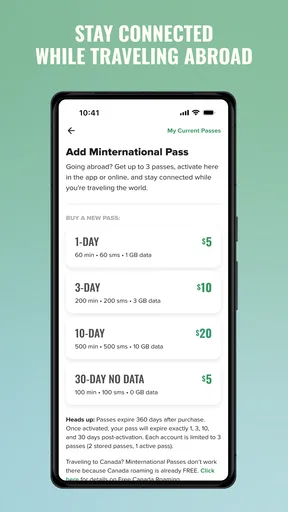
Mint Mobile offers international features, but the exact options and costs depend on the destination and the current plan rules. International calling, texting, and roaming may require adding credit or purchasing a separate package, and service availability can differ by country. Customer support is primarily handled online, through the app, chat, or other digital channels, so users who prefer extensive in-store assistance should consider this limitation.


